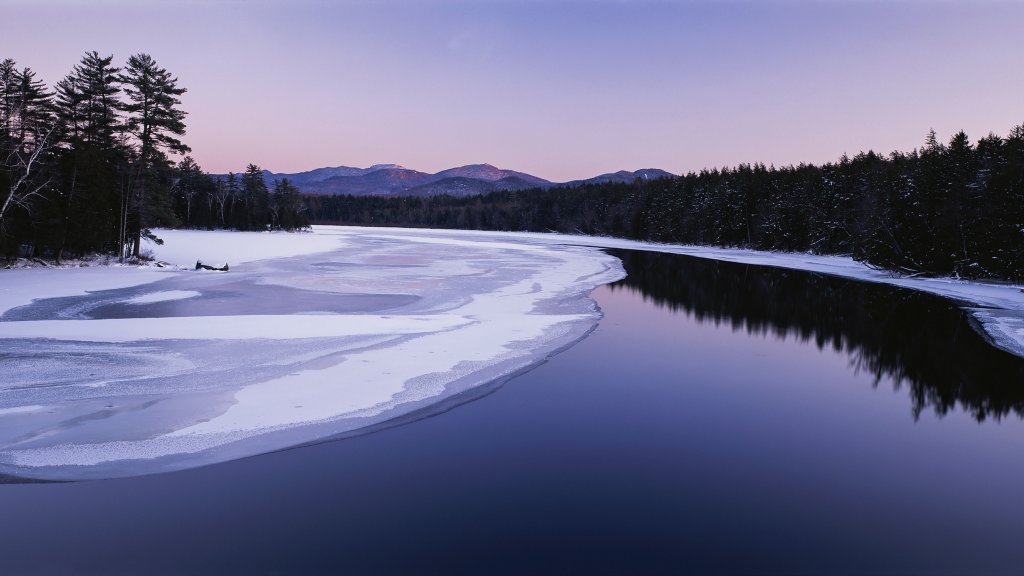
Second Pond of the Lower Saranac Lake, Adirondacks, NY
Sign in to add this photo to your favorites and desktop wallpaper rotation.
Second Pond is a notable area located on Lower Saranac Lake in the Adirondacks region of New York. It is part of the Saranac Lake Chain, a series of interconnected lakes and waterways that are popular for outdoor recreational activities. Second Pond serves as a gateway to the Saranac Lake Islands Campground, which is accessible primarily by boat. The area is renowned for its natural beauty, offering picturesque views of the surrounding Adirondack Mountains and lush forests. Visitors to Second Pond can enjoy a variety of activities such as canoeing, kayaking, fishing, and wildlife observation. The waters are generally calm, making it an ideal spot for paddling and exploring the numerous islands and inlets in the area. Second Pond is also a popular starting point for multi-day canoe trips through the Saranac Lake Chain, allowing adventurers to explore the interconnected waterways that lead to Middle and Upper Saranac Lakes. The region is rich in biodiversity, providing opportunities to see a variety of bird species, fish, and other wildlife. Camping is a popular activity in the area, with several designated campsites available on the islands and along the shoreline. These sites offer a rustic camping experience, often with minimal amenities, allowing visitors to immerse themselves in the natural surroundings. Overall, Second Pond and the Lower Saranac Lake area offer a serene and scenic environment for outdoor enthusiasts looking to experience the tranquility and beauty of the Adirondacks.