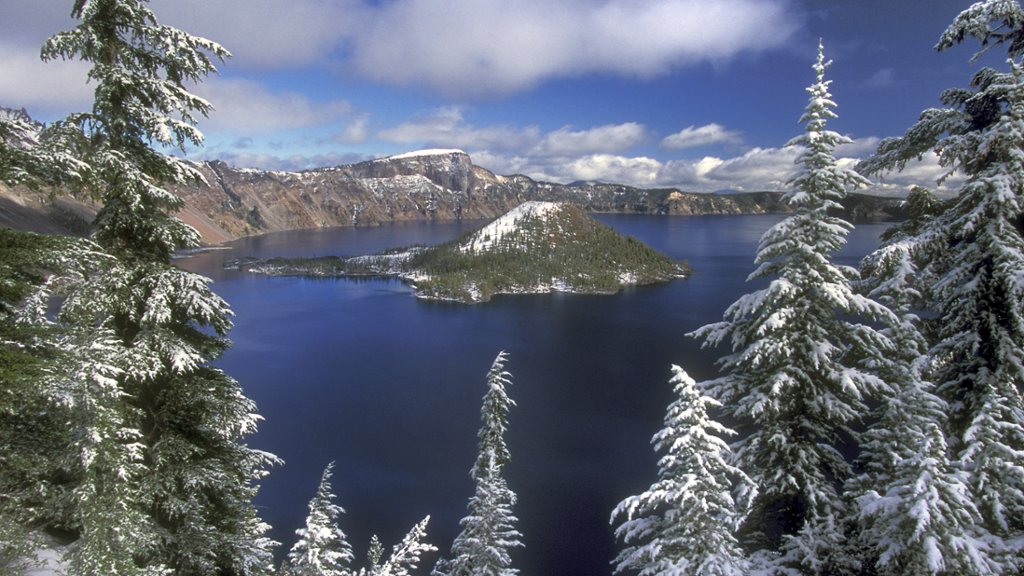
Crater Lake National Park, Oregon
Sign in to add this photo to your favorites and desktop wallpaper rotation.
Crater Lake National Park is located in southern Oregon and is known for its stunningly blue lake, which is the deepest in the United States. The lake was formed over 7,700 years ago when Mount Mazama erupted and collapsed, creating a massive caldera that eventually filled with water. The park encompasses over 180,000 acres of pristine wilderness, including lush forests, rugged mountains, and diverse wildlife. Visitors can explore the park by hiking, biking, or driving along the scenic Rim Drive, which offers breathtaking views of the lake and surrounding landscape. In addition to the lake itself, the park is home to several other notable features, including Wizard Island, a cinder cone volcano that rises from the lake's surface, and Phantom Ship, a rock formation that resembles a ghostly ship sailing across the water. Crater Lake National Park is a popular destination for outdoor enthusiasts, offering a range of recreational activities such as fishing, boating, and camping. The park also has a number of historic buildings, including the Crater Lake Lodge, which dates back to the early 20th century and offers stunning views of the lake. Overall, Crater Lake National Park is a must-visit destination for anyone looking to experience the natural beauty of Oregon's Cascade Range.