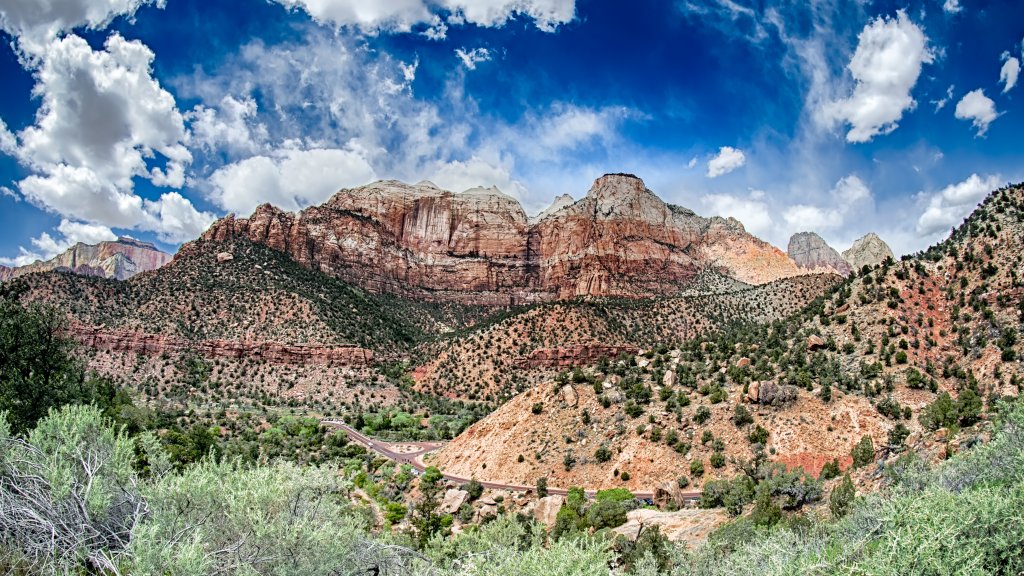
Zion National Park, Utah
Sign in to add this photo to your favorites and desktop wallpaper rotation.
Zion National Park is a stunning natural reserve located in the southwestern United States, specifically in southwestern Utah. It is renowned for its breathtaking landscapes, diverse ecosystems, and rich history. The park covers over 146,000 acres and is characterized by its towering sandstone cliffs, deep canyons, and unique rock formations. One of the most iconic features of Zion National Park is Zion Canyon, which stretches approximately 15 miles long and is up to 2,640 feet deep. The Virgin River runs through the canyon, carving out the dramatic scenery over millions of years. The park's highest point is Horse Ranch Mountain, which rises to an elevation of 8,726 feet. Zion is a paradise for outdoor enthusiasts, offering a wide range of recreational activities. Hiking is particularly popular, with trails ranging from easy walks to challenging climbs. Some of the most famous hikes include Angels Landing, known for its steep and narrow path with breathtaking views, and The Narrows, where hikers wade through the Virgin River in a slot canyon. The park is home to a diverse array of wildlife, including mule deer, bighorn sheep, and a variety of bird species. Its plant life is equally diverse, with over 900 species of plants found within its boundaries, ranging from desert flora to lush hanging gardens. Zion National Park has a rich cultural history as well. It was originally inhabited by Native American tribes, including the Ancestral Puebloans and the Southern Paiutes. European settlers arrived in the 19th century, and the area was designated as a national park in 1919. The park is accessible year-round, though the best times to visit are typically in the spring and fall when the weather is mild. During peak seasons, the park operates a shuttle system to reduce traffic and protect the environment. Zion National Park continues to be a beloved destination for nature lovers and adventurers from around the world.