Saxon Switzerland National Park, Germany
Sign in to add this photo to your favorites and desktop wallpaper rotation.
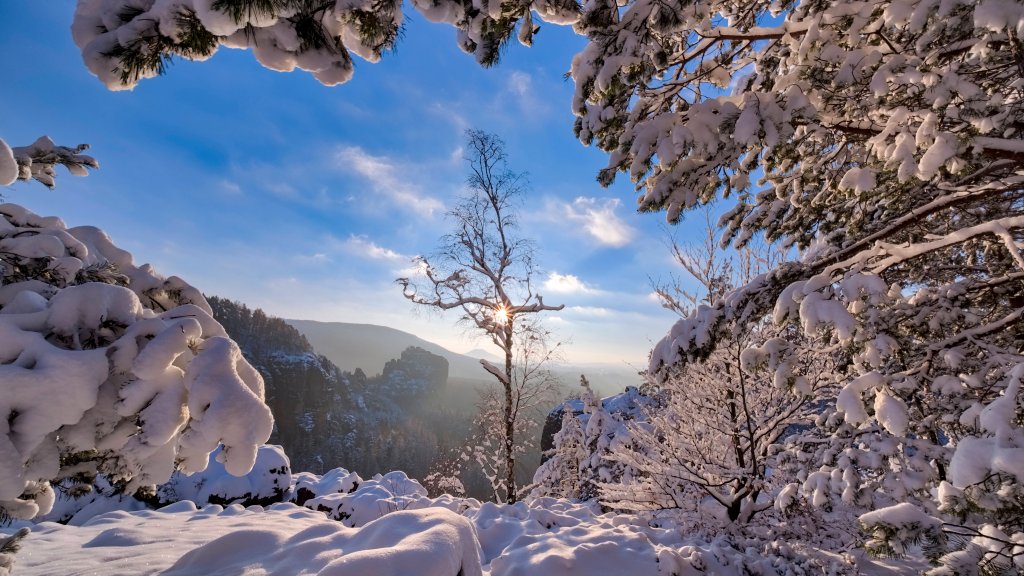
Saxon Switzerland National Park is a stunning natural reserve located in the eastern part of Germany, near the border with the Czech Republic. It is part of the larger Elbe Sandstone Mountains, which extend into the Czech Republic, where the area is known as Bohemian Switzerland. The park covers an area of approximately 93 square kilometers and is renowned for its unique and dramatic sandstone rock formations, deep valleys, and dense forests. The landscape of Saxon Switzerland is characterized by towering cliffs, narrow gorges, and bizarre rock pinnacles, making it a popular destination for hikers, climbers, and nature enthusiasts. The park offers an extensive network of hiking trails, including the famous Malerweg, or Painter's Way, which takes visitors through some of the most picturesque parts of the region. One of the most iconic landmarks in the park is the Bastei, a rock formation with a breathtaking viewpoint overlooking the Elbe River. The Bastei Bridge, a stone bridge connecting several rock formations, is a popular attraction and offers stunning views of the surrounding landscape. The park is home to a diverse range of flora and fauna, including rare species such as the peregrine falcon and the European wildcat. The dense forests are primarily composed of beech, oak, and pine trees, providing a rich habitat for wildlife. Saxon Switzerland National Park is also of cultural and historical significance. The region has inspired many artists and writers over the centuries, including the famous Romantic painter Caspar David Friedrich. The park's proximity to Dresden makes it an accessible day trip for visitors looking to explore the natural beauty of the area. Overall, Saxon Switzerland National Park is a remarkable destination that offers a unique blend of natural beauty, outdoor adventure, and cultural heritage.