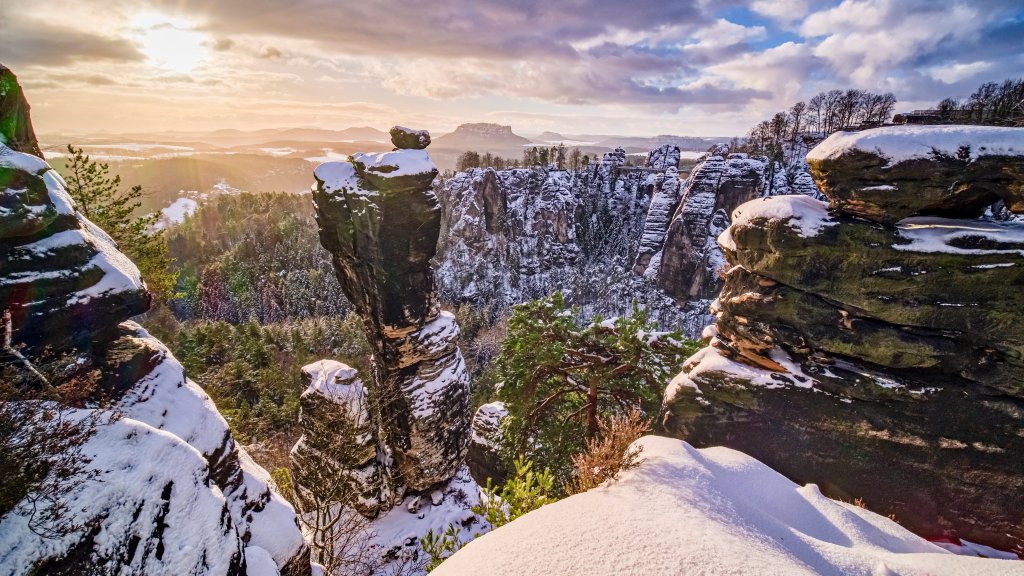
Saxon Switzerland National Park, Germany
Sign in to add this photo to your favorites and desktop wallpaper rotation.
Saxon Switzerland National Park is a picturesque natural reserve located in the eastern part of Germany, near the border with the Czech Republic. It is part of the larger Elbe Sandstone Mountains, which are known for their unique rock formations, deep valleys, and dense forests. The park covers an area of about 93 square kilometers and is renowned for its stunning landscapes, making it a popular destination for outdoor enthusiasts and nature lovers. One of the park's most distinctive features is its dramatic sandstone cliffs and rock towers, which have been shaped by erosion over millions of years. These formations provide excellent opportunities for rock climbing, and the park is considered one of the best climbing areas in Europe. In addition to climbing, visitors can enjoy hiking on a network of well-marked trails that offer breathtaking views of the surrounding countryside. The park is also home to a diverse range of flora and fauna, including rare species such as the peregrine falcon and the European wildcat. The rich biodiversity and the pristine natural environment make it an important area for conservation efforts. Saxon Switzerland National Park is easily accessible from the nearby city of Dresden, and it offers various visitor facilities, including information centers, guided tours, and accommodations. The park's combination of natural beauty, recreational activities, and cultural significance makes it a must-visit destination for anyone traveling to this region of Germany.