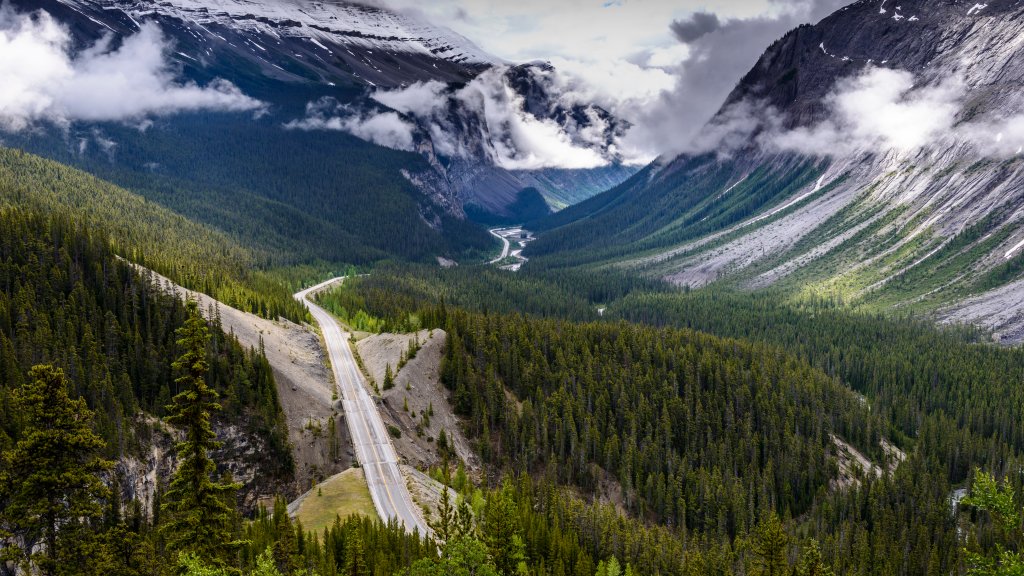
Icefields Parkway, Banff National Park, Canada
Sign in to add this photo to your favorites and desktop wallpaper rotation.
The Icefields Parkway, also known as Highway 93, is a scenic road that stretches approximately 232 kilometers (144 miles) through the heart of the Canadian Rockies, connecting Banff National Park to Jasper National Park in Alberta, Canada. Renowned for its breathtaking landscapes, the parkway offers travelers stunning views of towering mountains, expansive icefields, and pristine glacial lakes. One of the highlights along the route is the Columbia Icefield, one of the largest icefields in the Rocky Mountains. Visitors can explore the Athabasca Glacier, part of the icefield, through guided tours that allow for a close-up experience of this natural wonder. The Icefields Parkway also provides access to several notable attractions, including Peyto Lake, known for its striking turquoise color, and the Weeping Wall, a series of waterfalls cascading down a cliff face. Wildlife is abundant along the parkway, with opportunities to spot animals such as elk, mountain goats, and bears. Numerous pull-off points and viewpoints along the road allow travelers to stop and take in the majestic scenery. The drive is especially popular in the summer months, although it remains accessible year-round, with winter offering a different, snow-covered perspective. The Icefields Parkway is not just a route but an experience, offering one of the most picturesque drives in the world. It is recommended to allocate plenty of time for the journey to fully appreciate the natural beauty and to take advantage of the various hiking trails and outdoor activities available along the way.