Bryce Canyon National Park, Utah
Sign in to add this photo to your favorites and desktop wallpaper rotation.
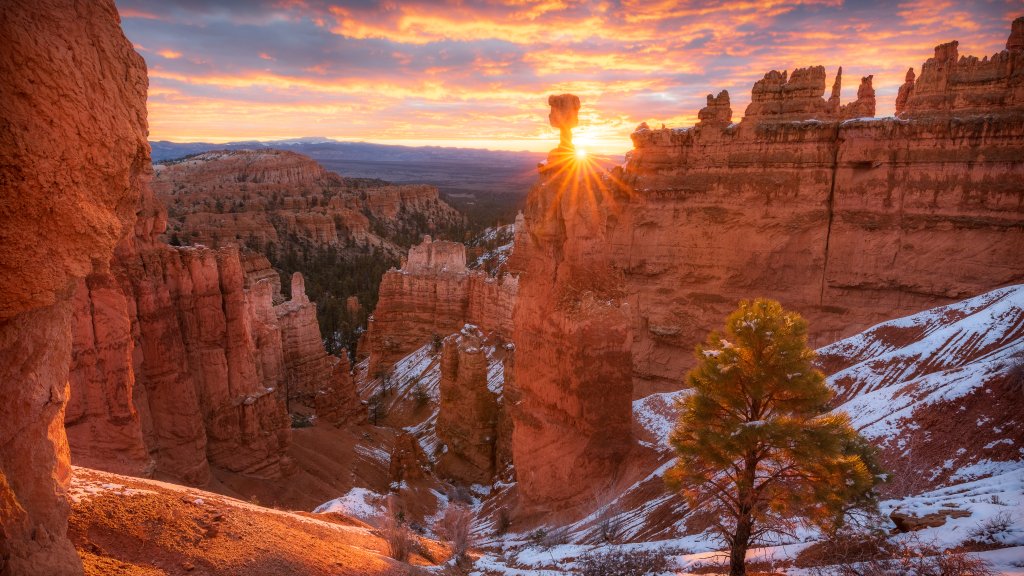
Bryce Canyon National Park is a stunning natural reserve located in southern Utah, known for its unique geological formations and breathtaking landscapes. The park is famous for its distinctive hoodoos, which are tall, thin spires of rock that have been shaped by millions of years of erosion. These formations create a surreal and otherworldly landscape that attracts visitors from around the world. The park covers an area of approximately 35,835 acres and is situated at a high elevation, ranging from 8,000 to 9,000 feet above sea level. This elevation provides cooler temperatures and a diverse range of ecosystems, from dense forests to open meadows. The park's high elevation also offers stunning panoramic views of the surrounding areas. Bryce Canyon National Park offers a variety of recreational activities for visitors. Hiking is one of the most popular activities, with numerous trails that range from easy walks to challenging treks. Some of the most popular trails include the Rim Trail, which offers views of the amphitheater, and the Navajo Loop Trail, which takes hikers down into the canyon among the hoodoos. In addition to hiking, the park is a great destination for stargazing due to its remote location and lack of light pollution. The park hosts regular astronomy programs and events to help visitors appreciate the night sky. Wildlife viewing is also popular, with species such as mule deer, pronghorn, and various bird species commonly seen in the park. Bryce Canyon National Park experiences a range of weather conditions throughout the year. Summers are generally warm and pleasant, while winters can be cold with snowfall, transforming the park into a winter wonderland. Spring and fall are ideal times to visit, offering mild temperatures and fewer crowds. Overall, Bryce Canyon National Park is a must-visit destination for nature lovers and outdoor enthusiasts, offering a unique and unforgettable experience with its remarkable landscapes and diverse activities.