Bromo National Park, Indonesia
Sign in to add this photo to your favorites and desktop wallpaper rotation.
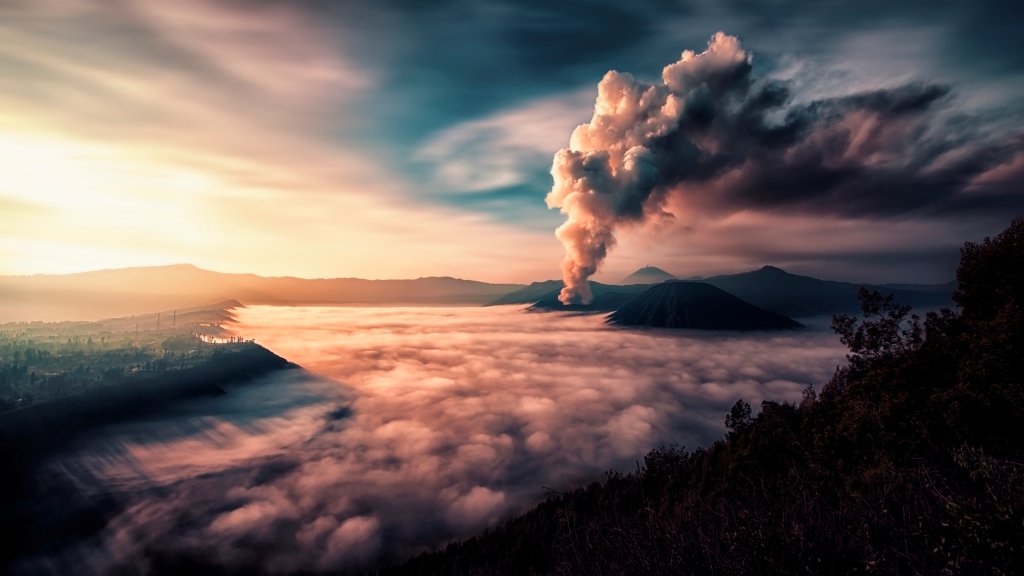
Bromo National Park, officially known as Bromo Tengger Semeru National Park, is a renowned national park located in East Java, Indonesia. It is famous for its stunning landscapes, active volcanoes, and rich cultural heritage. The park covers an area of about 800 square kilometers and is named after two of its most prominent features: Mount Bromo and Mount Semeru. Mount Bromo is one of the most visited attractions within the park. It is an active volcano and part of the Tengger massif. Visitors often hike to the crater's edge to witness the dramatic views and experience the unique volcanic landscape. The sunrise view over Mount Bromo is particularly popular, offering breathtaking vistas as the first light of day illuminates the surrounding peaks and the Sea of Sand, a vast plain of volcanic sand. Mount Semeru, the highest mountain on the island of Java, is another key feature of the park. It is an active stratovolcano and attracts adventurous hikers who aim to reach its summit. The trek to the top of Mount Semeru is challenging but rewarding, offering panoramic views of the surrounding area. The park is also home to the Tenggerese people, an indigenous ethnic group with a distinct culture and traditions. The Tenggerese maintain a unique way of life, and their annual Yadnya Kasada festival is a significant cultural event. During this festival, offerings are made to the gods by throwing them into the crater of Mount Bromo, a practice that draws both locals and tourists. Bromo Tengger Semeru National Park is a biodiversity hotspot, featuring a variety of ecosystems ranging from savannahs to rainforests. It supports diverse flora and fauna, including several endemic species. The park's unique combination of natural beauty, cultural significance, and adventure opportunities makes it a popular destination for tourists and nature enthusiasts from around the world.