Arches National Park, Moab, Utah
Sign in to add this photo to your favorites and desktop wallpaper rotation.
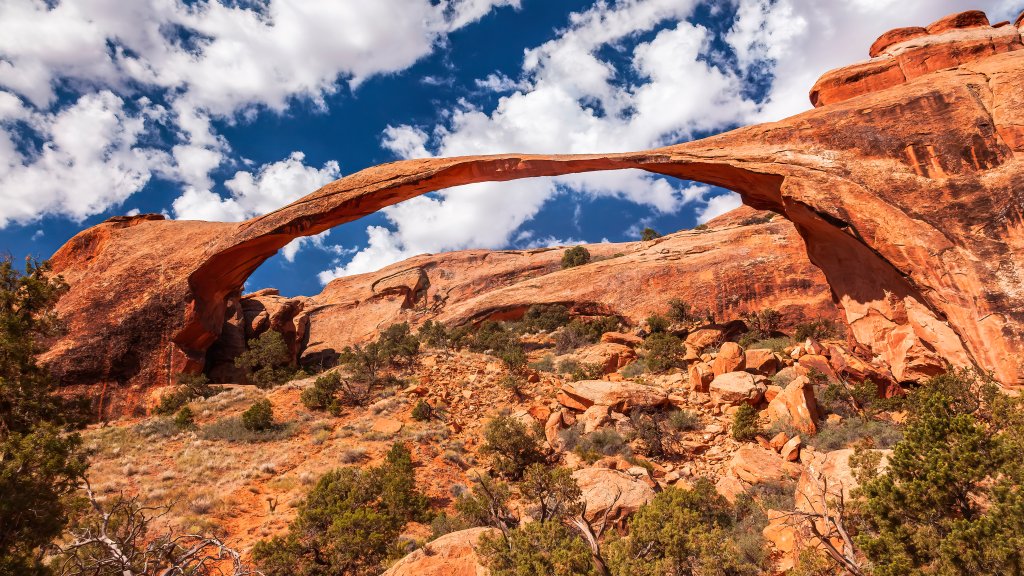
Arches National Park is a stunning natural area located near Moab, Utah, renowned for its impressive collection of over 2,000 natural stone arches. The park covers approximately 76,679 acres and is characterized by its unique geological formations, including arches, pinnacles, spires, and balanced rocks, all of which have been sculpted by millions of years of erosion. One of the most famous features of the park is Delicate Arch, an iconic freestanding arch that has become a symbol of Utah and is often featured in photographs and promotional materials. Other notable formations include Landscape Arch, which is one of the longest natural stone arches in the world, and Double Arch, known for its massive, interconnected spans. The park's landscape is primarily composed of Entrada Sandstone, which has been shaped by natural forces such as wind, water, and ice. The striking red and orange hues of the rock formations are particularly vivid at sunrise and sunset, offering breathtaking views and excellent photography opportunities. Arches National Park is a popular destination for outdoor enthusiasts, offering a variety of activities such as hiking, rock climbing, and photography. There are numerous trails ranging from short, easy walks to more challenging hikes that lead to some of the park's most spectacular sights. The park is also home to a diverse range of wildlife, including desert bighorn sheep, red foxes, and a variety of bird species. Visitors to Arches National Park can explore the scenic drive that winds through the park, providing access to many of the key attractions and viewpoints. The park is open year-round, although the best times to visit are in the spring and fall when the weather is milder. Summer temperatures can be extremely high, while winter may bring snow and ice, affecting road and trail conditions. Overall, Arches National Park offers a unique and awe-inspiring glimpse into the natural beauty and geological history of the American Southwest, making it a must-visit destination for nature l...