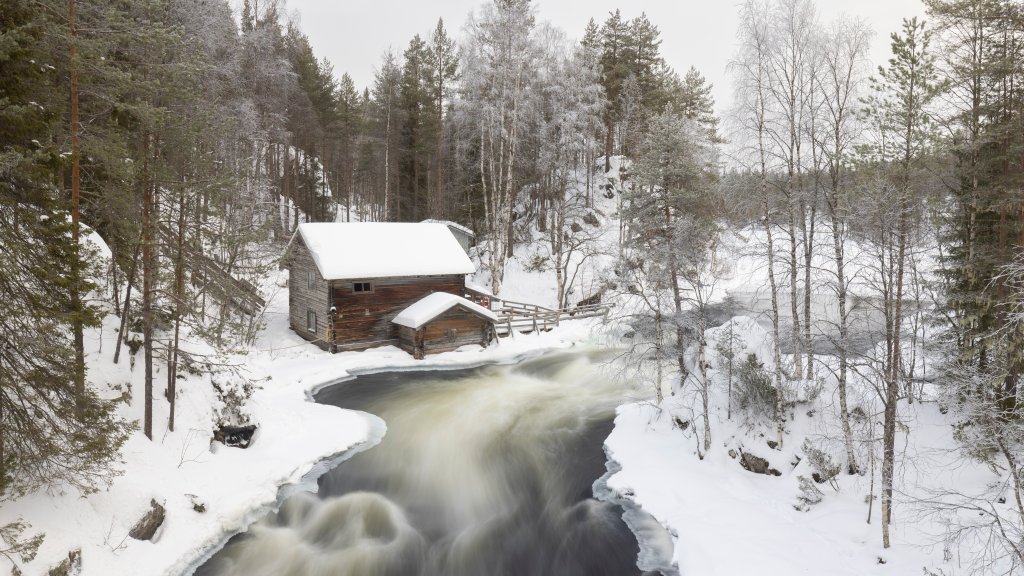
Old Myllykoski Watermill, Oulanka NP, Finland
Sign in to add this photo to your favorites and desktop wallpaper rotation.
The Old Myllykoski Watermill is a picturesque and historic site located in Oulanka National Park, Finland. This charming watermill is situated along the Kitkajoki River, which is known for its scenic beauty and rapids. The watermill itself is a popular attraction for visitors to the park, offering a glimpse into the traditional Finnish way of life and the historical use of water power. Oulanka National Park, where the watermill is located, is renowned for its diverse landscapes, including lush forests, river valleys, and rugged cliffs. The park is a haven for outdoor enthusiasts, offering activities such as hiking, canoeing, and wildlife watching. The Karhunkierros Trail, one of Finland's most famous hiking routes, passes near the watermill, making it an ideal stop for hikers exploring the area. The Old Myllykoski Watermill is not only a historical site but also a popular spot for photography due to its idyllic setting. The surrounding natural beauty, combined with the rustic charm of the watermill, creates a perfect backdrop for capturing memorable images. Visitors often enjoy the tranquility of the area, listening to the sound of the river and taking in the serene atmosphere. Overall, the Old Myllykoski Watermill is a must-visit destination for those exploring Oulanka National Park, offering both cultural and natural attractions in a stunning setting.