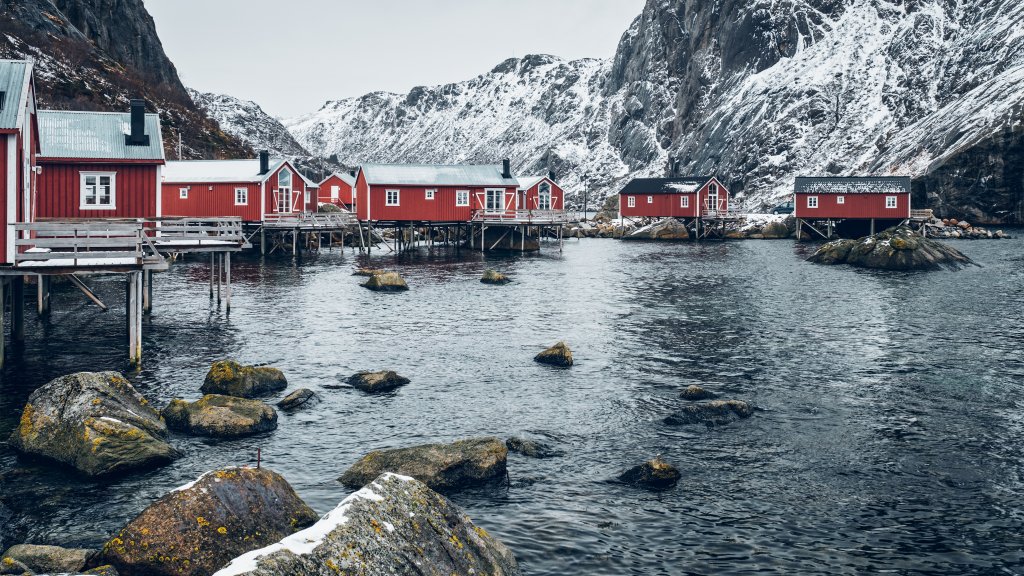
Fishing Village, Nusfjord, Lofoten islands, Norway
Sign in to add this photo to your favorites and desktop wallpaper rotation.
Nusfjord, is one of the oldest and best-preserved fishing villages in Norway, located in the Lofoten Islands. Nestled amidst dramatic fjords and rugged mountains, Nusfjord offers a picturesque setting that captures the essence of traditional Norwegian coastal life. The village is renowned for its historical significance and charming architecture, featuring classic red and yellow wooden buildings known as "rorbuer," which were originally used by fishermen. Nusfjord has been recognized for its cultural and historical value, and efforts have been made to preserve its unique character. Visitors can explore the village's rich history through its small museum, which provides insights into the traditional fishing industry and local way of life. The village also offers various activities, such as hiking, fishing, and boat tours, allowing visitors to experience the stunning natural beauty of the Lofoten Islands. In addition to its historical attractions, Nusfjord is a popular destination for those seeking tranquility and a chance to immerse themselves in the serene landscapes of northern Norway. The village's remote location and limited modern development contribute to its charm, making it a perfect spot for relaxation and reflection. Whether you're interested in history, nature, or simply enjoying the peaceful ambiance, Nusfjord offers a unique glimpse into the traditional lifestyle of the Lofoten Islands.